
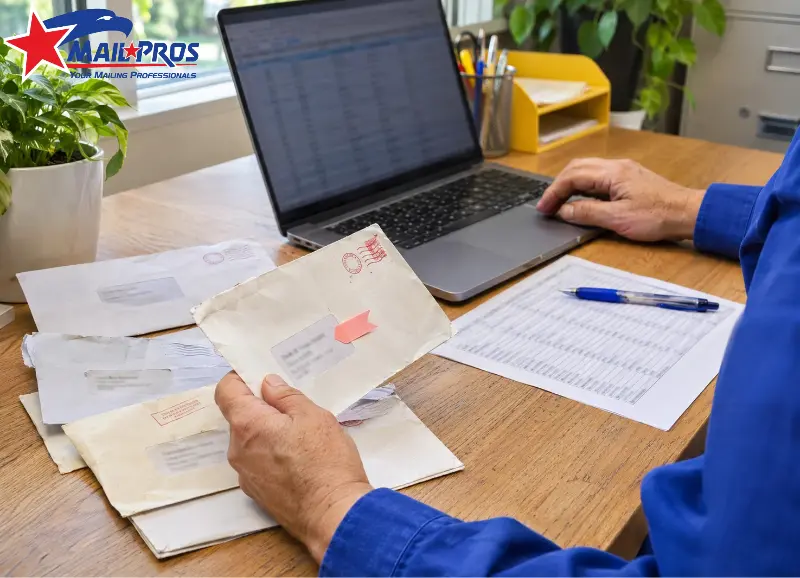
onally, Confirm updates to the business mailing list. If there have been any changes to the business. If there has been a change of owner in the repairer, the last invoice may still have the old owner’s details. Even if the business hasn’t moved, this may be sent to the printer. A central corporate billing may handle invoices.
When sending a postcard to parts suppliers, ensure that you know who is ordering parts and where they should be sent. If multiple businesses are being ordered by the same buyer, the account representative can confirm which location to send the postcard to during the same call.
Update your business mailing list before each direct mail campaign. Moves, closures, and changes in purchasing staff often surface between jobs. Put each confirmed change in the master file so it reaches the next print export.
Signs Of An Outdated Business Mailing List
If returned items are coming from the same office park, compare the suite number in the source file to the printed file. If you cannot see this field in the data, then add it to all records in the batch. Check that the business mailing list is correct. If a business list provider provided the rows, highlight the affected record IDs so that the provider can check their source file for errors.
Review Dates And Postal Deadlines
The deadline to make corrections to the list should be set by the list manager. When booking, provide estimates for the number of pieces and the date they are expected to be put into USPS. By the deadline, confirmed changes should have been sent to the list owner. If changes are approved after the file has been made read-only, send a dated version of the file to production. Confirm with the team which version of the file they will be using.
Close off returns each month. In seasonal jobs, check active accounts quarterly. For each direct mail job, pull from the latest version of the business mailing list. Double check that the correct territory is being targeted, and the correct roles. If there are multiple branches within an account, confirm which branches order in house ahead of sending to the printer.
USPS Timing For A Business Mailing List
Update applies to items sent via USPS Marketing Mail, or presorted/automated commercial First Class Mail. Items with alternative address formats, that qualify for exemption, are excluded. All applicable addresses and recipients within the business mailing list must be updated using an approved method, within 95 days of the mailing date, as outlined in the USPS Domestic Mail Manual.
If the job is delayed, calculate 95 days in reverse from the new date USPS will accept the item. Make an approved update for all applicable addresses outside of this period, and new records. Record the date processed and the approved filename in the mailing list maintenance log.
Checks Before The Print Run

Postal Address Checks
Addresses can be standardised and assigned ZIP+4 codes using CASS-certified software. Addresses can be checked against the delivery file in USPS using Delivery Point Validation (DPV). If applicable, suite numbers can be added to high-rise business addresses using SuiteLink. If suite numbers are still missing, contact the recipient office directly.
All changes to the business mailing list must include a record ID. This allows the representative to match the new address to the correct branch, even if multiple locations share the same company name. If ordering a direct mail list, request the original address, new address and date of change..
Buyer And Duplicate Checks
If a targeted list is required, with one piece sent to each site, a site ID can be used to identify duplicates. If using addresses, check company name, street name, suite number and ZIP code. Additi targeting individuals, match by contact ID or verified name. Ensure that confirmed changes are added to the business contact list. Do not mail exclusions must be applied after all imports.
Business Mailing List Approval
Of the 1,200 entries in this example, 17 were duplicates, 8 had no mail flags and 15 required address verification. 1,160 pieces were quoted to the printer. During proofing, the 15 addresses can be worked on by the representative. If any other addresses are cleared before going to print, the approved quantity should be updated and exported. However, reasons for outstanding items should be recorded in the job.
List Decisions Between Campaigns
If only the names and addresses have changed within existing accounts, clean the data. If the target area is increasing, bespoke lists can be used to complete a full list. To increase coverage, the parts supplier can target independent garages in 2 adjacent counties. Accounts that should not be included in a new campaign for new customers can be identified based on orders.
Group data by industry and county. If sourcing a business mailing list, select a supplier who will provide information on where the data was sourced from, the date of confirmation and reuse conditions. If ordering a targeted mailing list, ensure a random sample of data across multiple ZIP codes is taken. Additionally, the offer is targeting local branches, ensure a sample includes confirmation of where they work and what role they have. Include the name of the batch from the supplier in data added to the master sheet.
It will be easier to understand which batch the returned data comes from. Calculate the accuracy of the list by dividing the number of undelivered items by the total number sent. Where possible, compare data from similar jobs with the same postage type, endorsement and date range. The endorsement for USPS Marketing Mail affects how the items are treated by USPS in line with non-delivery guidelines.
Frequently Asked Questions
How Do I Verify A Business Mailing Address?
Use the USPS ZIP Code Lookup tool to confirm the street, town and state. Confirm the suite and recipient with the recipient office. If batching, request that in batch cleaning, any addresses requiring validation are highlighted.
Can I Reuse The Same Business Mailing List?
This depends on what conditions were put in place in the original purchase. If the list was purchased with a one-time use licence, a new order may be required to target the same audience. Refer back to the conditions in place to ensure you are able to include licensed rows within your estimate.
What Is NCOA In Direct Mail?
NCOA is the National Change of Address. NCOALink can be used to ensure USPS has recorded any permanent address changes in Direct Mail campaigns. If the original data file is old, ask the mailer to confirm what dates the data covers. Any address changes made prior to this date should be directly confirmed. If multiple branches are currently active within the company, confirm which branch the buyer’s mail should be sent to.
How Do I Remove Duplicate Business Addresses?
Ensure the street and suite information is standardised. ‘190 Park Avenue, Suite 10’ and ‘190 Park Ave Ste 10’ may refer to the same address. If individual buyers are listed in the business mailing list, check for matches in addresses with different contacts before combining.
How frequently should I refresh purchased mailing lists?
Before using, check the list. Find out when the contact names were validated and when post-processing was last completed. These dates may not match. If it is a custom list with filtering on job roles, confirm a sample of buyers and their office. Priority should be given to confirming these if the offer relies on a specific decision maker.
Print Order Approval
Once finalised, note how many items have been approved, when they should be sent, and the exact file name in the production order. However, record the held items and reason(s) in the mailing list maintenance log so they can be picked up on the next review.
Request a print quote and list check from MailProsUSA. Tell them the date you want to send the mailing, how many records and what roles/offices you wish to target. Ask which records in your business mailing list can be sent and which need amending before confirming the run.