
Multiple Mail Campaign Versions: A Smarter Way to Manage

A mail campaign with one offer and one list is easy to run. Few stay that simple. A two-store HVAC company might send past customers a $25 tune-up discount with their own store’s phone number. New prospects get a free safety check instead. Then someone asks for a Spanish edition.
Now one mailing has four versions. The usual damage is an expiry date on 3,900 cards. Or the North store’s number lands on the South store’s mailer.
In direct mail marketing, those mistakes rarely start with the designer. They start when nobody tracks which file belongs to which list.
More Mail Campaign Versions Mean More Room For Error
A direct mail version is any edition where something besides the name and address changes. Putting a first name in the greeting is direct mail personalization. A few sample proofs cover that. A new offer or a new reply number is different. That is what customized direct mail is built on. So each edition needs its own proof and its own list.
Four kinds of changes create most versions.
- Separate offers for past customers and new prospects
- A different phone number for each location
- Language editions for part of the list
- Headline tests that run side by side
Most mix-ups happen between people rather than in the press. The designer saves final_v3_NEW.pdf. The data team splits the list in another spreadsheet. A late price change shows up in an email thread with eleven replies.
One mail fulfillment service from artwork to postage cuts most of those handoffs. Even then, a sound direct mail strategy needs one written record for every version.
A Version Matrix Makes Mail Campaign Management Easier

That record is the version matrix. At the HVAC company it is a shared Google Sheet with one row per mailer. The designer and the printer both check it before any work starts. That is why direct mail planning should start in this sheet.
Build One Row Per Version
The first rows might look like this.
| Version Code | Audience | Offer | Response Path | Quantity |
| TUNE-PC-N | Past customers, North store | $25 off a tune-up | Code TUNE25N, North phone line | 4,800 |
| TUNE-PC-S | Past customers, South store | $25 off a tune-up | Code TUNE25S, South phone line | 3,900 |
| TUNE-NP | New prospects, both stores | Free safety check | Code SAFE, prospect landing page | 9,500 |
| TUNE-ES | Spanish-speaking customers | $25 off a tune-up | Code TUNE25ES, Spanish phone line | 2,100 |
Expiration dates and sign-offs get their own columns later. The version code also goes into every file name and onto the job ticket. Some printers set it in a tiny type beside the address block. A caller can then read it straight to the front desk.
Remove Overlaps Between Segments
The first list pull almost always has overlap. Here a Spanish-speaking past customer near the North store fits two rows. Without a rule, that household gets two mailers with different offers. Set a pecking order before counts are final, such as Spanish edition first. Then run a merge-purge. Clean the list before the split too. An outdated customer mailing list just copies its bad addresses into every version.
Separate Approvals Stop Costly Mail Campaign Reprints

Once the matrix exists, approve it row by row. One sign-off for the whole job is where things slip. People read version one carefully. Version two gets a skim. By version four they’re mostly hunting for typos.
Follow A Fixed Proof Order
- The campaign owner approves the offer and expiration date on each version.
- Compliance reads the fine print if your industry needs that.
- The data lead confirms each list segment matches its code.
- The printer sends a press proof that the owner approves in writing.
- Approved files go in a locked folder.
Check Only What Changes
Lay the proofs side by side and look only at what differs. That usually means the offer and the date, plus phone numbers and QR codes. Scan every code. Call every number. It takes minutes, while a reprint can take days. Good direct mail printing services repeat it in prepress. After approval, any edit goes back through a new proof. That keeps direct mail production tied to the right file.
Production Choices Keep Versions Accurate
Approved files still need the right press setup and a postage plan. Most direct mail marketing solutions handle versioned jobs in one of two ways.
Pick The Right Press Setup
On a digital press, variable data printing can produce every version in one run. A version code field in the mail file tells the press which offer goes on each piece. A full direct mail campaign service usually builds that data setup.
On an offset press, keep any changing text in black ink. Then the printer only swaps the black plate between versions. The color plates stay on press and setup costs drop. Either way, ask for sample sheets from the changeover point, where mix-ups hide.
Match Formats To Save Postage
Postage is the other reason to keep versions alike. USPS Marketing Mail needs at least 200 pieces or 50 pounds per mailing. So a 150-piece test can’t qualify by itself. It can still join the bigger editions in one presorted mailing when size and weight match. Ordering bulk direct mail printing for every segment in one go keeps all the pieces on the same paper.
Tracking Reveals The Best Direct Mail Campaign Version
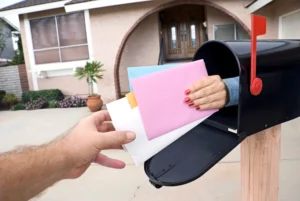
Once mailers land, the codes start paying off. Without a separate response path for each version, every call falls into one total. The test behind the direct mail strategy then gives no clear answer.
Add Seeds To Every Version
Place two or three seed records, such as staff homes, on every version’s list. Put the version code in the name line, like “Seed TUNE-PC-N.” Seeds confirm the in-home date and give direct mail production one last check. A reliable mail fulfillment service can also log the drop date for each version.
Give Each Version Its Own Phone Line
Each version needs a promo code that no other version uses. It needs its own call tracking number and landing page too. Many direct mail marketing solutions can set these up for you. For delivery data, ask for a separate serial number range in the Intelligent Mail barcode for each version.
Your mail house can then sort USPS Informed Visibility scans by version. That way direct mail tracking starts before the first call. Keeping these codes in the matrix makes mail campaign management simpler too.
Compare Cost Per Response
Response rate alone can mislead. A version with a richer offer may pull more replies and still cost more per sale. Divide what a version costs to print and mail by its responses. Then compare it with the sales it produced. A version with zero sales is not always a dud. These metrics to check when a mailer brings no sales help show whether the list or the offer let it down.
Common Questions About Managing Mail Versions
What Is Versioning In Direct Mail?
Versioning means splitting one mailing into several editions with a planned difference, such as the offer or the language. Every direct mail version shares one goal and mail date but gets its own proof and results report.
Do Extra Versions Cost More To Print?
It depends on the press. On digital equipment, extra versions add little cost. On an offset press, each version usually needs a plate change and some setup time. Most direct mail printing services will quote both once they know how many versions the direct mail campaign needs.
Can Different Versions Be Mailed Together?
Usually yes. They just need to match in size and weight and travel in the same mail class. A version in another format often goes out on its own. Any provider of bulk mailing services can confirm that before anything prints.
How Is Variable Data Printing Different From Versioning?
Versioning decides who gets which edition. This kind of printing is one way to produce it. The press reads a data file and changes text or images piece by piece. That also covers direct mail personalization like first names.
How Can You Tell Which Version Worked Best?
Give each version a promo code and phone number nobody else uses. Then compare what each one costs per response. Direct mail tracking works best when those codes sit in the matrix before printing starts.
Bottom Line
The HVAC mailer from the start now fits into four rows of one sheet. Careful direct mail planning turns one messy job into four small ones.
MailProsUSA offers a complete direct mail campaign service for versioned jobs. That covers list cleanup and bulk direct mail printing through presort and fulfillment.
Send your version list with quantities for a free quote. Our team will then proof and mail every edition on schedule.